
NaViSet Administrator 2
Version : 2.1.00
Overview
NaViSet Administrator is a network based control and asset management system for supported display monitors and projectors.
With NaViSet Administrator you can:
- Automatically monitor the operational states and control settings of your supported equipment.
- Send automatic email alerts of abnormal conditions such as overheating, cooling fan failure, and diagnostics errors.
- Access and adjust the numerous control settings of your supported devices using interfaces similar to that of their On Screen Displays and remote control units.
- Monitor the operational states of both Windows-based computers connected to your network and single-board computers installed in your supported displays.
- Create detailed reports of device assets, operational states and control settings and export them to popular spreadsheet formats.
Supported Model
- NEC desktop display series
- NEC Projector models with a LAN or RS223 connection
- NEC large-screen display series: MA, ME, M, UN, UX, BT, X, P, V, C, CBxx1 and E series(E series is only models with a built-in LAN connection).
- Sharp desktop display models (2024 models or newer)
- Sharp large-screen display models
- PN-E329 / PN-E439 / PN-E509 / PN-E559 / PN-E659 / PN-E759 / PN-E869
- PN-L652B(*1) / PN-L752B(*1) / PN-L862B(*1) / PN-LA652(*1) / PN-LA752(*1) / PN-LA862(*1) / PN-LC652(*1) / PN-LC752(*1) / PN-LC862(*1) / PN-LM431(*1) / PN-LM551(*1)
- PN-M322 / PN-M432 / PN-M502 / PN-M552 / PN-M652 / PN-ME432 / PN-ME502 / PN-ME552 / PN-ME652 / PN-ME752 / PN-ME862 / PN-ME982
- PN-P436 / PN-P506 / PN-P556 / PN-P656
- LD-A1381F / LD-A1651F
- Sharp projector models (2024 models or newer)
- PJLink devices
- Windows Computer
*1: The device search function is not available on these models. In such cases, you can connect by manually entering the IP address in the IP address input field.
Operating System
- Windows 64 bit versions:
- 10 / 11
- Windows Server
- 2019 / 2022 / 2025
Operating Environment
LAN
Standard TCP/IP LAN interface. Static IP addresses required for most displays connected directly to LAN, unless name resolution (hostname) support is provided.
System Resources
At least 64MB available hard-disk space for installation.
Approximately 50MB per 100 devices hard-disk space required for database storage.
At least 96MB RAM (192MB recommended).
Software
Adobe Reader X or higher is recommended for viewing the User’s Guide.
Microsoft Excel for viewing output spreadsheets.
Open Hardware Monitor (optional) or LibreHardwareMonitor(optional)for monitoring computer temperature and fan status. www.openhardwaremonitor.org or https://github.com/LibreHardwareMonitor
Go to download
Sorry, you cannot download these contents on this page from Cuba, Iran, Korea(North), Syria, Ukraine(Crimean region). These software programs and manuals subject to U.S. Export Administration Regulations. We shall not reexport or release them to the national below, without a license by BIS (a section of U.S. Government).
Click the filename from the following list.
| file name | file size |
|---|---|
| Quick Start Guide NaViSet Administrator Quick Start Guide.pdf |
6.82MB |
| User's Guide NaViSet Administrator Users Guide.pdf |
30.3MB |
| NaViSet Administrator2 (For Windows) (Ver2.1.00) Caution: When updating from the old version to the new version, the ndb database files will no longer be usable with the old version. Please note that it will not be possible to revert after the update. Be sure to make a copy (backup) of any necessary ndb files in advance. * NA2_Windows_2.1.00_20260206_3.zip |
128MB |
Installation instruction
For Windows version
Start the autorun.exe after unzipping the NA2_Windows_xxx.zip file.
Please install the necessary software from the launcher.
The launcher of English
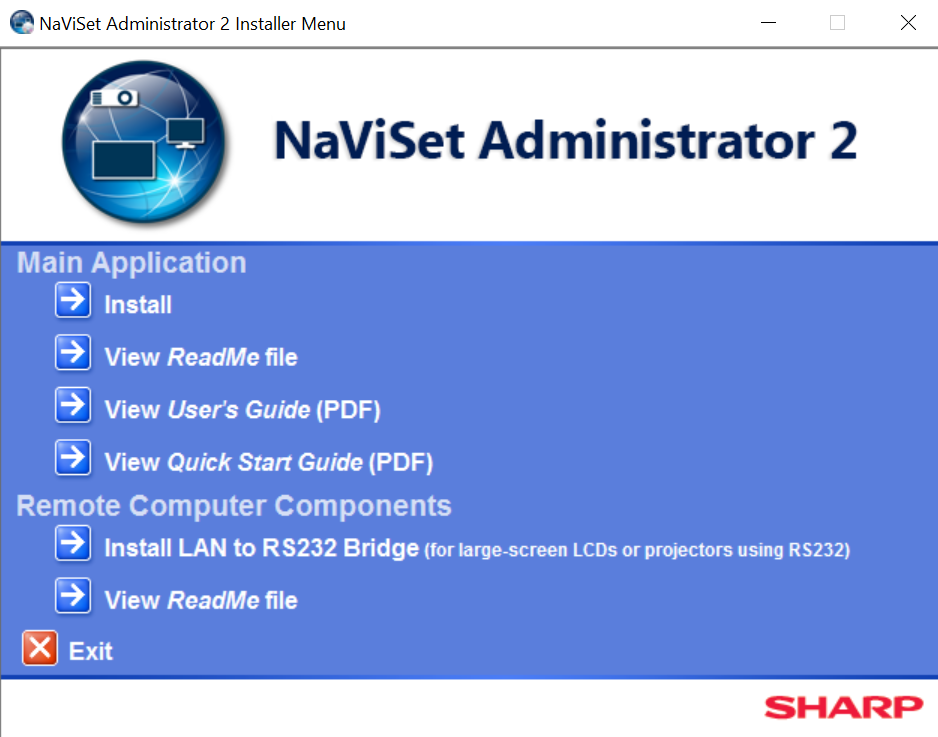
The launcher of Chinese